
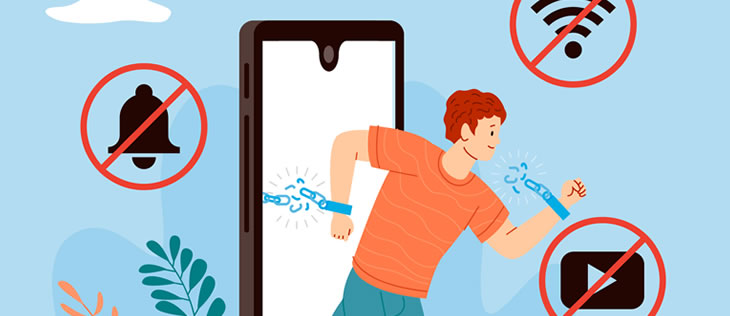
Digital technology has made work faster, more connected, and more flexible, but it has also created a new professional challenge: protecting your attention. Notifications, social media, instant messages, emails, entertainment platforms, and constant switching between applications can make it difficult to concentrate on the task in front of you.
For young professionals, learning how to manage digital distractions is becoming an important workplace skill. Being able to use technology effectively is not only about knowing which tools to use; it is also about understanding when technology helps your productivity and when it starts competing for your attention.
Understand what is actually distracting you
Digital distraction does not always come from obvious activities such as scrolling through social media. Sometimes the problem is a constant stream of small interruptions that prevents you from maintaining concentration for long enough to complete meaningful work.
A notification may only take a few seconds to check, but the mental transition between tasks can take much longer. When this happens repeatedly, your workday can become fragmented even if you feel that you have been busy the entire time.
Some of the most common digital distractions include:
- Social media notifications and personal messages.
- Constant email alerts.
- Workplace chat applications that generate continuous notifications.
- Checking your phone whenever you encounter a difficult task.
- Switching between several applications unnecessarily.
- Browsing unrelated websites during working hours.
- Repeatedly checking information that does not require an immediate response.
- Using multiple screens or applications without a clear reason.
The first step is therefore not to eliminate every digital tool. It is to identify which tools are genuinely necessary for your work and which ones repeatedly interrupt your attention.
This distinction matters because digital tools are not automatically distractions. Email, collaboration platforms, project management software, cloud documents, and artificial intelligence can improve productivity when they are used intentionally. The problem begins when the tool determines what you pay attention to instead of you deciding what deserves your attention.
Learn to control notifications instead of reacting to them
Notifications are designed to attract attention. When every message, email, update, or application alert appears immediately, your brain is constantly being asked to decide whether something deserves a response.
This can create a reactive working style in which your priorities change every time a notification appears. Instead of following your planned tasks, you spend the day responding to whatever arrives first.
A better approach is to establish different levels of urgency.
For example:
- Keep notifications active only for communication channels that may require an immediate response.
- Disable alerts for social media, entertainment, shopping, and other nonessential applications.
- Use scheduled periods to review email instead of checking it every few minutes.
- Mute group conversations when they are not directly related to your responsibilities.
- Use “Do Not Disturb” or focus modes during periods that require concentration.
- Check messages according to their importance rather than simply according to the order in which they arrive.
This does not mean becoming unavailable. In professional environments, communication is important, but constant availability is not the same as effectiveness.
Learning to distinguish between urgent, important, and routine communication can help you remain responsive without allowing every incoming message to interrupt your work.
This is particularly important when working remotely or in hybrid environments. Without physical separation between tasks and communication channels, professionals need to create their own digital boundaries.
Avoid multitasking when the work requires concentration
Multitasking often appears productive because several activities are happening at the same time. In reality, many digital tasks require people to switch their attention rapidly from one activity to another.
Writing a report while responding to messages, checking email, reviewing a spreadsheet, and participating in a conversation may feel efficient, but the quality of each task can suffer.
Instead of asking, “How many things can I do at the same time?” it is more useful to ask, “Which task deserves my full attention right now?”
When a task requires analysis, writing, planning, problem-solving, or creativity, try to protect a period of uninterrupted concentration.
You can do this by:
- Choosing one primary task for a defined period.
- Closing applications that are not necessary for that task.
- Keeping only the documents and tools required for the work open.
- Writing down unrelated ideas or requests instead of immediately acting on them.
- Establishing specific moments to answer messages.
- Dividing larger assignments into smaller work sessions.
This approach is especially valuable when you are learning something new. If you constantly switch between information sources, conversations, and entertainment, it becomes harder to build a deep understanding of the subject.
The goal is not to work without breaks or remain focused for hours without interruption. Effective concentration also requires recovery. Short breaks can help you return to a task with more attention, particularly during long periods of demanding work.
The important distinction is between a planned break and an unplanned digital escape. Taking five minutes to step away from the screen is different from opening a social media application and losing thirty minutes without realizing it.
Create boundaries for your phone and personal applications
For many young professionals, the smartphone is one of the most powerful sources of digital distraction because it combines communication, entertainment, news, social media, shopping, banking, and countless other activities in one device.
Keeping the phone next to you does not necessarily mean you will become distracted, but constant access makes impulsive checking much easier.
A useful strategy is to create physical and digital distance when your work requires concentration.
Consider these habits:
- Keep your phone out of immediate reach during important tasks.
- Remove unnecessary applications from the home screen.
- Turn off nonessential notifications.
- Avoid using social media as a default response to boredom.
- Establish personal limits for entertainment applications.
- Keep professional and personal communication as separate as possible.
- Avoid checking your phone every time you experience difficulty with a task.
The last point is particularly important. Difficult work naturally creates moments of discomfort. When a task becomes complicated, people may instinctively look for an easier source of stimulation.
That can create a cycle: the task becomes difficult, you check your phone, you receive stimulation, you return to the task with less patience, and then you look for another distraction.
Learning to remain with a difficult task for a reasonable period is therefore part of developing professional discipline.
This does not mean eliminating entertainment or personal communication. A healthy digital routine includes both professional and personal activities. The objective is to decide when each one belongs in your schedule.
Build a digital work system that protects your attention
Avoiding distractions becomes much easier when your digital environment is organized around your priorities. Instead of relying entirely on willpower, you can design simple systems that reduce the number of unnecessary decisions you have to make.
For example, you can establish specific periods for different types of work. The morning might be reserved for high-concentration tasks, while a later period can be used for email, meetings, and routine communication.
A simple system might include:
- A short list of the most important tasks for the day.
- Defined periods for focused work.
- Specific times for checking email and messages.
- A clean desktop with only relevant applications available.
- Separate spaces or profiles for personal and professional activities.
- A weekly review of recurring digital distractions.
- Clear rules for when you will and will not respond immediately.
Technology can also help you monitor your own behavior. Screen-time reports, focus modes, calendar blocks, website restrictions, and productivity applications can reveal patterns that are difficult to notice during the workday.
Artificial intelligence can also support organization by helping summarize information, structure tasks, draft routine material, or reduce repetitive work. However, AI should not become another source of constant interruption. Opening a new tool every few minutes simply because it is available can create the same attention problem in a different form.
The broader professional skill is digital judgment: knowing which technology improves your performance, which technology creates unnecessary friction, and when you should disconnect from technology altogether.
Ultimately, avoiding digital distractions is not about rejecting technology. Modern professionals need digital tools, and their importance will continue to grow. The real challenge is learning to remain in control of those tools rather than allowing every notification, message, platform, or application to determine where your attention goes.
For someone beginning a professional career, this can become a significant advantage. Employers value people who can communicate, adapt, organize information, solve problems, and complete responsibilities reliably. All of these abilities become harder to demonstrate when attention is constantly divided.
Developing better digital habits therefore goes beyond productivity. It is part of building professional discipline, protecting the quality of your work, and learning how to operate effectively in an increasingly connected workplace.